

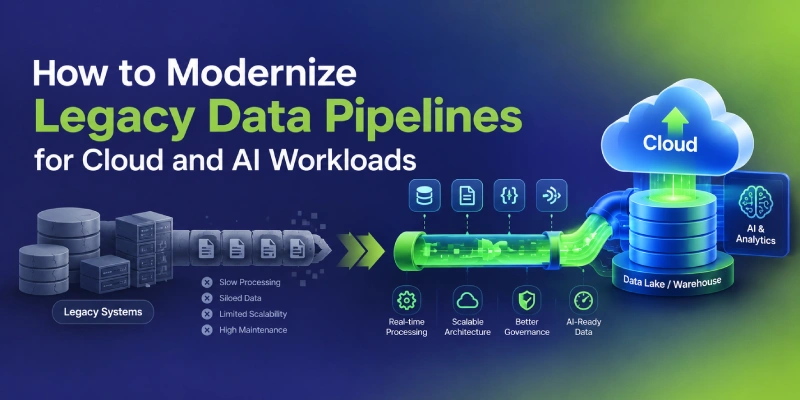
How to Modernize Legacy Data Pipelines for Cloud and AI Workloads
Learn how to modernize legacy data pipelines for cloud and AI with a practical roadmap covering migration, ETL/ELT, quality, security and governance.
To modernize legacy data pipelines: Inventory what runs today, tie the work to a business outcome, choose a migration strategy for each pipeline, migrate in phases with parallel runs, and build in data quality, observability, and governance from the start.
Why Legacy Data Pipelines Struggle Today
A legacy pipeline is not simply an old one. It is a pipeline that can no longer meet today’s demands for speed, scale, reliability or governance. The most common symptoms are:
Rigid batch windows
Data arrives hours or days late, so dashboards and models work from stale information.
Tightly coupled logic
Business rules sit in stored procedures or proprietary ETL tools, so one change can break several downstream reports.
Limited scalability
Fixed on-premises hardware forces teams to size for peak load or accept slow runs.
Weak visibility
Failures surface when a stakeholder spots a wrong number, not when the job fails.
Manual operations
Reruns, backfills and deployments depend on a few people who know the system.
Governance gaps
Incomplete lineage, access controls and audit trails complicate data security and regulatory compliance.
Each problem is manageable alone. Together, they raise the cost of every new analytics or AI project.
Does Your Stack Need Modernizing?
Not every legacy system needs a rebuild. Check how many of these statements sound familiar:
- Business users routinely distrust or reconcile report numbers.
- New data sources take weeks or months to onboard.
- Data engineers spend most of their time on maintenance and firefighting.
- The ETL platform, database or hardware is near end of support or a licensing renewal.
- Data science teams cannot get timely, well-documented data for machine learning.
- Leadership wants real-time analytics or generative AI that the current stack cannot support.
- Audit or compliance requests take days of manual effort to answer.
The more boxes you tick, the stronger the case for modernizing. This is a rule of thumb, not a formal benchmark. Modernization should follow a business need, not a technology trend.
What Modern Data Pipelines Look Like
Modern data pipelines are modular, observable, and elastic. They separate storage from compute, treat data quality as part of the pipeline, and support both batch and stream processing.
| Dimension | Legacy | Modern |
|---|---|---|
| Processing Model | Nightly batch processing and ETL-first workflows. | Batch and streaming with both ETL and ELT. |
| Infrastructure | Fixed, on-premises hardware. | Elastic, cloud-based infrastructure. |
| Scalability | Limited by the hardware available. | Storage and compute can scale independently. |
| Change Management | Manual deployments with higher risk. | Version-controlled code, automated testing, and CI/CD. |
| Monitoring | Reactive monitoring, with issues often discovered by users. | Proactive observability and alerting. |
| Governance | Fragmented governance and controls. | Centralized cataloging, lineage, and access control. |
| AI Readiness | Limited support for modern AI and ML requirements. | Better support for ML workloads and unstructured data. |
From ETL to ELT
Transforms data before loading it into the warehouse, often on a dedicated server.
Raw data lands first, then gets transformed inside a scalable engine — keeping raw history available for reprocessing when business rules change or a new AI use case appears.
Legacy ETL transforms data before loading it into the warehouse, often on a dedicated server. Cloud data warehouses and lakehouses make ELT practical: raw data lands first, then gets transformed inside a scalable engine. This keeps raw history available for reprocessing when business rules change or a new AI use case appears.
ETL still has a place, for example when sensitive fields must be masked before data leaves a source environment. Most modern data architectures use both.
Batch, Streaming and Change Data Capture
Many workloads are well served by scheduled batch. Fraud detection, personalization and operational monitoring may need lower latency. Change data capture (CDC) reads a database’s transaction log and replicates only what changed. This avoids heavy full-table extracts and often bridges legacy databases to the cloud.
Expectations need care, though. AWS states that its DMS change data capture is not real-time replication, carries no latency SLA, and can lag by several minutes or longer depending on workload, network and target capacity.[1] Confirm latency needs against the chosen tool before promising real-time analytics.
Warehouse, Lake and Lakehouse
A data warehouse suits structured, governed analytics. A data lake stores raw and unstructured data cheaply. A data lakehouse combines the two on open table formats. A common layout is the medallion pattern, where data becomes more refined at each layer:
Databricks itself calls the pattern a recommended practice, not a requirement.[3] The layer names work best as shared vocabulary, not a rigid standard.
Orchestration, Quality and Observability
Three practices keep pipelines dependable:
Data orchestration
Coordinates dependencies, retries and scheduling.
Data quality checks
Validate freshness, completeness and schema.
Data observability
Monitors pipeline health, volume anomalies and lineage, so problems are caught before consumers see them.
What AI Workloads Change
AI does not need a separate platform, but it raises the bar on the fundamentals.
- Freshness and consistency: Models trained on one definition of a metric and served another produce unreliable results. Shared, versioned transformations reduce that drift.
- Lineage and reproducibility: Teams should be able to show which data trained a model and how it was prepared.
- Unstructured data: Generative AI applications often draw on documents, tickets and logs, so pipelines must ingest, clean and chunk that content, not just tables.
- Data quality at scale: Poor inputs degrade model behavior in ways that are harder to spot than a broken dashboard.
- Governance and security: Access controls, PII handling and retention rules matter more when data feeds models and retrieval systems.
In practice, AI-ready data pipelines are well-run pipelines with stronger quality, lineage and governance controls - the same foundational gaps that cause many cloud AI implementations to fail once a model reaches production.
How to Modernize Legacy Data Pipelines: An Eight-Step Roadmap
Work through these steps in order. Steps 1 and 2 are the ones teams most often skip, and they cause the most rework later.
Inventory pipelines and map dependencies
List every pipeline, source, schedule, transformation, consumer and owner. Include spreadsheets, scripts and undocumented jobs. Lineage tools help, but expect manual discovery too. You cannot migrate what has not been found.
Tie the work to business outcomes
Define success: fresher reporting, lower operating cost, faster source onboarding or a specific AI use case. Rank pipelines by business value, technical risk and migration effort, and start with something meaningful but not mission-critical.
Choose the target architecture
Decide between a warehouse, lakehouse, or hybrid design. Weigh data volumes, latency needs, team skills, vendor relationships, and multi-cloud strategy requirements. Favor open formats and standard interfaces where lock-in is a concern, and accept that some managed services trade portability for speed.
Pick a migration strategy for each pipeline
AWS lists seven common strategies, known as the 7 Rs: rehost, relocate, replatform, repurchase, refactor or re-architect, retain and retire. It also warns that refactoring during a large migration is the most complex path, and recommends moving first and modernizing afterward.[4] That guidance targets applications generally, but it fits data estates well. Retiring unused pipelines is often the cheapest win.
Build the foundation first
Set up the cloud landing zone before moving workloads: identity and access management, network design, encryption, secrets management, separate environments and infrastructure as code. Retrofitting security later costs more.
Migrate in phases and run in parallel
Move pipeline by pipeline or domain by domain. Use CDC for continuous replication from source databases, and run old and new pipelines side by side. Compare outputs at row, aggregate and business-metric level before switching consumers.
AWS describes a similar pattern for database moves: an initial load, a catch-up period for the change backlog, then a controlled pause so remaining transactions apply before applications are repointed.[2] Analytical cutovers deserve the same care.
Build in quality, observability and governance
Add automated tests for schema, nulls, duplicates and freshness. Monitor runtimes, volumes and failures. Register datasets in a catalog with ownership, classification and access policies. Doing this during migration is far cheaper than doing it afterward.
Cut over, decommission and optimize
Retire legacy jobs once consumers have moved and parallel runs match. Running both systems indefinitely doubles cost and confusion. After cutover, right-size compute, tune storage layout and set up cost monitoring. Modernization works best as continuous improvement, not a one-time project.
Choosing a Migration Approach
Different pipelines require different migration strategies. The right approach depends on the pipeline’s business importance, technical complexity, timeline, and modernization goals.
Rehost
Best for: Tight deadlines or a hardware exitMove the existing pipeline to the cloud with minimal code changes. This is usually the fastest approach, but it can carry existing design limitations into the new environment.
Replatform
Best for: Stable pipelines running on aging platformsMove the pipeline to a newer platform while making limited changes to take advantage of cloud capabilities. This requires moderate effort but provides only partial modernization.
Phased Hybrid Migration
Best for: Organizations with large or complex data environmentsRun legacy and modern pipelines together while migrating workloads gradually. This approach can balance risk, speed, and business value, but requires strong coordination between old and new systems.
Refactor or Rebuild
Best for: Business-critical pipelines that need significant modernizationRedesign the pipeline around cloud-native architecture and modern engineering practices. This can provide greater long-term benefits but requires the most effort, cost, and migration risk.
Tools by Category
The right tools depend on the platform, skills and budget. These names are examples, not endorsements.
Ingestion and CDC
Managed replication services, log-based CDC tools and streaming platforms such as Apache Kafka.
Transformation
SQL-based frameworks such as dbt, or distributed engines such as Apache Spark.
Orchestration
Apache Airflow, Dagster and cloud-native workflow services.
Storage and compute
Cloud data warehouses and lakehouse platforms built on open table formats such as Apache Iceberg or Delta Lake.
Quality and observability
Data testing frameworks, lineage tooling and monitoring platforms.
Governance
Data catalogs, policy engines and cloud-native security services.
Choose tools the team can operate, not just tools that look strong in comparisons.
Risks, Trade-offs and Best Practices
These are the main risks to plan for:
- Hidden business logic: Undocumented rules inside old jobs are the most common source of post-migration surprises. Parallel runs help expose them.
- Data quality debt: Migrating bad data faster does not fix it. Profile and clean data during the move.
- Cost overruns: Elastic compute is easy to overspend. Set budgets, tagging and alerts from the start.
- Skills gaps: Teams experienced in legacy ETL tools may need training in cloud platforms, SQL-based transformation and DevOps practices.
- Security and compliance: Validate data residency, encryption and access rules in the new environment, especially in regulated industries.
- The big-bang temptation: Replacing everything at once concentrates risk. Phased delivery is generally safer, though it takes longer.
- Vendor lock-in: Managed services speed delivery but can make future moves harder. Decide on that trade-off deliberately.
Best Practices That Hold Up
Widely accepted practices include automating deployments, versioning transformation code, testing data as well as code, documenting ownership and monitoring pipelines continuously.
Other choices depend on context: adopting a medallion layout, streaming versus batch, one platform versus best-of-breed tools. Validate these against your own workloads instead of copying another company’s architecture.
When to Bring in Expert Data Engineering Support
Many teams can modernize simple pipelines themselves. Outside help tends to pay off when:
- The estate is large, poorly documented or spread across multiple platforms.
- Internal teams lack cloud data engineering experience.
- Deadlines are tied to a data center exit, contract renewal or end-of-support date.
- Compliance requirements demand careful design and audit trails.
- Leadership wants AI capabilities but the data foundation is not ready.
A good partner starts with assessment and discovery, is candid about trade-offs, and transfers knowledge so the team can run the platform afterward.
How DataEdge Can Help
DataEdge provides cloud data engineering services for organizations updating outdated data infrastructure. Support typically includes pipeline assessment and dependency mapping, target architecture design, ETL and ELT pipeline development, data pipeline migration planning, and setting up data quality, observability and governance practices.
The goal is a modern data architecture that fits the business, the team and the AI plans, without unnecessary complexity. A short assessment of current pipelines is a practical first step.
Conclusion
Knowing how to modernize legacy data pipelines is less about picking a platform than about sequencing. Inventory what exists, tie the work to business outcomes, choose the right migration approach for each pipeline, and build in data quality, observability, and governance from the start.
Done well, legacy data pipeline modernization gives cloud analytics and AI projects a dependable foundation.
Ready to modernize your data pipelines?
Talk to DataEdge